Turn Your Photos Into Professional Videos
No Camera. No Editor. No Monthly Subscription.
Describe a scene, add your photos, or start from a video you like. Choose from over a dozen AI video models, add text in nine Indian languages, your logo and sound, and download an MP4 with its caption and hashtags. You pay once for a plan and are charged only when a video is made and saved.
Sign in with a one-time code sent to your email. No password needed.
- One-time plans from $19No subscription to cancel.
- Pay only for finished videosA video that cannot be made costs nothing.
- Nine Indian languagesText drawn with the right fonts, correctly joined.
- Over a dozen video modelsThe price shows before you make each video.
Saw A Video You Like? Make Your Own Version In Minutes
Upload Photos, Add A Script, Generate A New Video.
Upload a video you like. Our AI reads its scenes and background, the look and clothes of the people, how things move, the camera, the light and the mood, and writes it as a prompt for you. Change anything, add your own people or products with @name, and make a similar video. Reading the sample is free, and you can delete it straight after.
Every new video can also get English subtitles of what is said, free, or your own subtitle text.
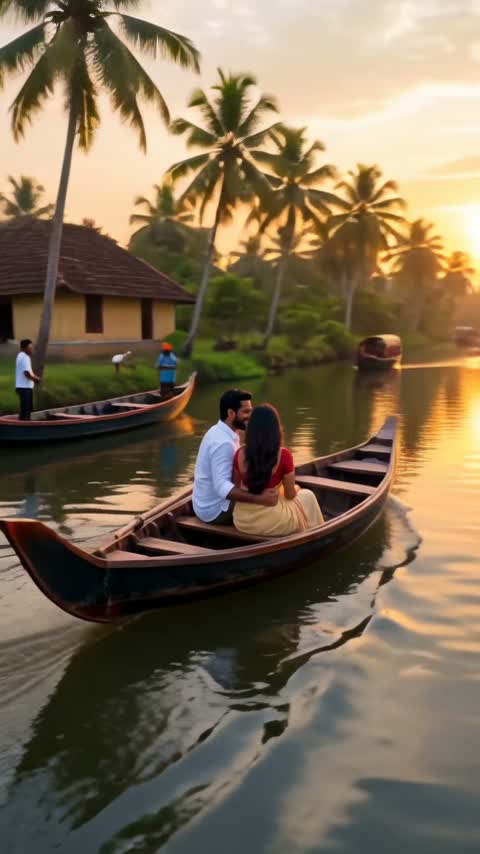
Made with the studio.
Three videos chosen at random from the ones customers have published. Each keeps its own shape.
Three steps from your idea to a finished video.
Set up once. After that, each video is a description, some design, and a download.
Create the video
Add your brand and photos once. Describe the video, mention a photo with @name, and choose the model, shape and length. You can also start from a video you upload, or upload a sample video and let the AI write the prompt for a video like it.
Design it your way
Open the template editor: add text in nine Indian languages, offers, shapes, your logo and sound. Place everything on the timeline and watch it on your video.
Download and share
The finished MP4 appears in My videos with a caption and hashtags. Download it within 30 days, or publish a public link to share.
Everything on one timeline.
Text, offer badges, shapes, your logo and sound each get their own lane. Drag a block to set when it shows, which part of the sound plays and what sits in front.
A simplified drawing of the editor. The real one shows your own video, with the sound waveform under it.
Everything from idea to published video, in one place.
Each part below works in the app today. Start with a plan, then use what you need.
Make
- Video from text or photos
- Describe a scene, or use up to five of your photos and name each one with @name in your prompt. Pick from over a dozen AI video models; the price is shown before you generate.
- Recreate any video
- Upload a video you like and the AI captures its scenes, background, people, camera moves, light and mood as a prompt. Edit it, add your @names, and make a similar video. Free to read; delete the sample when you are done.
- Recast
- Swap the people in an uploaded video for the people in your photos, shot by shot.
- Model comparison
- See the same prompt made by each model, with a sample, the price, whether it makes sound, how many reference photos it takes and its longest video.
Design
- Template editor
- Place text, offer badges (plain, brush or two-colour), bands, pictures, a logo and a QR code on a timeline. Drag a line to set when it shows and which element is in front. Text can tilt from -60 to +60 degrees.
- Nine Indian languages
- Hindi, Marathi, Bengali, Gujarati, Punjabi, Tamil, Telugu, Kannada and Malayalam text is drawn with the right fonts, sharp and correctly joined. Translate English lines into any of them; the fee is shown first.
- Cut-out shapes
- Show your video only inside a shape (a heart, circle, star and more) and hide the rest with a colour you choose.
- Sound editing
- Add music or a voice-over from My audio, see its waveform, and move or trim it. Move or trim the video's own sound too, or take the sound out of any video as an MP3.
- Subtitles
- Tick Add English subtitles and a copy of your video gets English subtitles of what is said, whatever language is spoken, for free. Or type your own. Change them later in Edit a video for $0.001 per second.
Deliver
- Charged only on success
- Credit is held when a video starts and charged only after the video has been made, saved and checked. If it cannot be made, the credit is released.
- Remix, cut and join
- Make the same video in 9:16, 1:1 and 16:9 for each platform, trim it to the part you want, or join pieces of several videos. No new video is generated, so it costs nothing extra.
- Download and publish
- Download each video from My videos, or publish it to a public page with a link you can share. Videos are kept for 30 days, so download them as soon as they are made.
See the same prompt made by each model.
The Compare models page shows a sample from every model, with its price per second, whether it makes sound, how many reference photos it takes and its longest video, so you can choose on evidence.
Simple one-time plans.
Each plan adds its credit to your balance once. Credit does not reset each month, and it is used only when a video is made. When it runs out, buy another plan.
Starter
$19 of video credit
- 720p31 H3 Max · 31 Wan 3.0
- 1080p15 H3 Max · 14 Wan 3.0
Captions and hashtags included
Choose StarterGrowth
$29 of video credit
- 720p48 H3 Max · 48 Wan 3.0
- 1080p24 H3 Max · 21 Wan 3.0
Everything in Starter
Choose GrowthPro
$49 of video credit
- 720p81 H3 Max · 81 Wan 3.0
- 1080p40 H3 Max · 36 Wan 3.0
Everything in Growth
Choose ProCounts are for 5-second videos. Each shows how many videos the plan makes with MiniMax H3 Max, then with Alibaba Wan 3.0. The price of each video is shown on the request form before you generate it. An 8-second video costs 1.6 times as much, and a 10-second video costs twice as much. See the full pricing page.
Answers before you start.
Do I approve videos before they are published?
Yes. Videos and captions are made for you, but nothing is published unless you press Publish.
Am I charged if a video cannot be made?
No. Credit is held when a video starts and is charged only after the video has been made, saved and checked. If it fails, the credit is released.
How long are my videos kept?
Download your videos within 30 days. Videos you make and videos you upload are permanently deleted 30 days after they are made or uploaded, and cannot be recovered, except published videos, which are kept. Your audio files in My audio are kept.
Will the scripts invent claims about my business?
Scripts are checked against the facts you enter. Claims we cannot support are refused before you see them. Read them before you post.
Which Indian languages can I use in my video text?
Hindi, Marathi, Bengali, Gujarati, Punjabi, Tamil, Telugu, Kannada and Malayalam. The text is drawn in the finished video with a font that has its letters, and you can translate English lines into any of them in the template editor.
How long does a video take?
Usually about three minutes. You can keep working, and the video appears on your dashboard when it is ready. Edits such as a template or added audio take under a minute.
Which video formats can I choose?
Vertical 9:16, portrait 3:4, square 1:1, classic TV 4:3, widescreen TV 16:9 and ultra-wide 21:9. The model you choose decides which formats it can make.
Can I make a video like one I already have?
Yes. Upload a sample video above the prompt box on your dashboard. Our AI watches it and writes a prompt for a video like it, for free. Change what you like, add your own photos with @name, and delete the sample when you are done.
Can my video have subtitles?
Yes, for free. Under the request form, Add English subtitles is ticked: once the video is ready, we write down what is said in it, in English (whatever language is spoken), and keep a second copy with the subtitles next to your video in My videos. Untick it to type your own subtitles instead: each line you type shows in turn, spread over the video. Leave the box empty for no subtitles. Your original video is never changed. A video with no speech (for example music only) gets no English subtitles. This works on the dashboard and on the Recast page. To add or change subtitles on a video you already have, open Edit a video, choose the original video (without subtitles) and use step 6, Subtitles: English from what is said, or your own text. That makes a new copy and costs $0.001 per second of video (a 10-second video costs $0.01). Nothing is charged if it cannot be made.
Are extra product photos charged?
The first four reference photos in a video are included. Each photo after that has a small extra charge, shown on the price line before you generate. Some models accept fewer photos; the app tells you before you generate.
Can I add my own music or voice?
Yes. Open Edit a video, pick a video, and add your sound file in step 3. Drag the sound along the video to choose where it starts and which part plays, press Play selection to listen, then add it to the video.
How do I choose the best video model?
The Compare models page shows the same prompt made by each model, with a sample, what each costs, whether it makes sound, how many reference photos it takes and its longest video. Every saved video is 720p or larger; a clip from a 480p model is enlarged to 720p. For the sharpest picture, choose a 720p or 1080p model.
Can I post straight to Instagram or TikTok?
Not yet. Download the MP4 and upload it, or share the public link. Automatic posting is planned for later.
Do I need to cancel?
No. Plans are one-time purchases, so there is no subscription to cancel.
Make your first video today.
Create an account, describe your scene, and design it in minutes. Need help? The illustrated guide shows every screen.
Create account